Accounts
Accounts in ampsuite represent a parent company under which one or more labels exist, and allows you to restrict certain users to only view releases of labels under that account.
Upon initial setup most ampsuite systems will have a single Account under which all of your users and labels will reside. If you require multiple accounts to allow label level logins please contact your ampsuite representative, as this is an additional service only available to distributor level accounts.
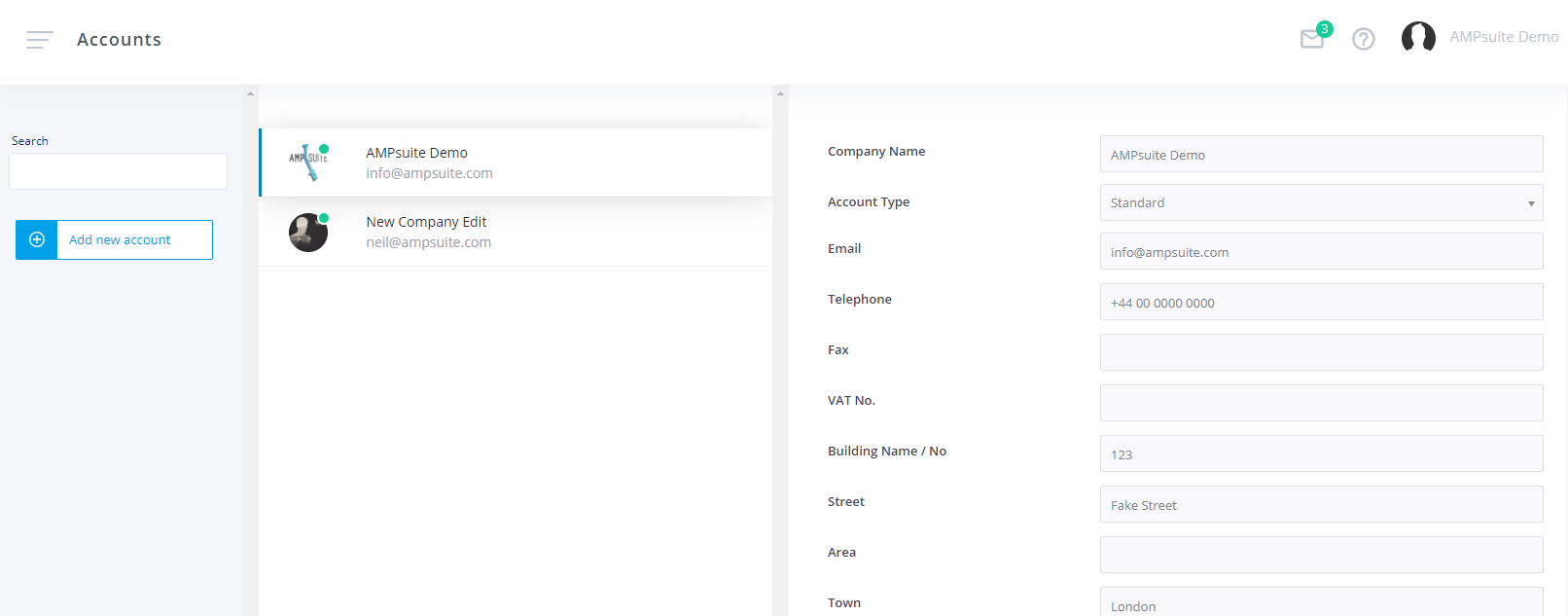
To edit your existing account details, click on the account within the list. Information from each account, such as the name, address, logo and email - will be used in things like statements and outgoing email footers, as such you should make sure these details reflect those of the parent company the labels under the account belong to.
Label Level Logins
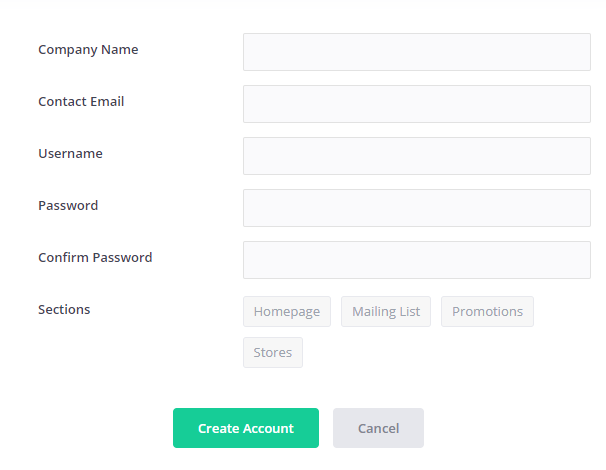
If you have label level logins enabled on your system, you can create new accounts by clicking the Add new account button. Note that the form looks slightly different to the one to update an existing account, as this one enables you to create an initial username and password for the new account. You also don't need to enter any additional contact details at this point.
IMPORTANT: Do not try to create label level users from the User's screen - any users created from that screen will always be linked to the same account as the currently logged in user e.g. if you are logged in as a main admin user, any users you create will also be admin users.
As well as creating a username and password you can also restrict access to certain sections of ampsuite, using the Sections checkboxes. Make sure to check all sections you wish to give users under this account access to. Note that it is not currently possible to give label sub accounts access to accounting and analytics sections of the system, these are reserved for admin level users.
Login details are not automatically sent to new account users, you must email them yourselves with the details. Note that all new accounts start off completely blank, so you may wish to login and create an initial label, or inform the label when they first log in.
Admin Level Logins
If you are logged in as an admin account user you will be able to view and edit releases for all sub account labels, as such you will notice an additional Account dropdown when creating new labels and artists. Make sure to select the correct account in these cases so they appear under the correct login.
In most cases systems with multiple label sub accounts set up will automatically create separate versions of each artist if they have releases under more than one sub account, and as such will have separate statements generated for each version of the artist during accounting.