ampsuite will send out automated emails during some processes, such as to the licensors associated with a release when it is set to final, or promotional links after a release has been delivered to retailers. You can edit, and in some cases deactivate, these emails from the Automated Emails screen under Admin section of the main menu.
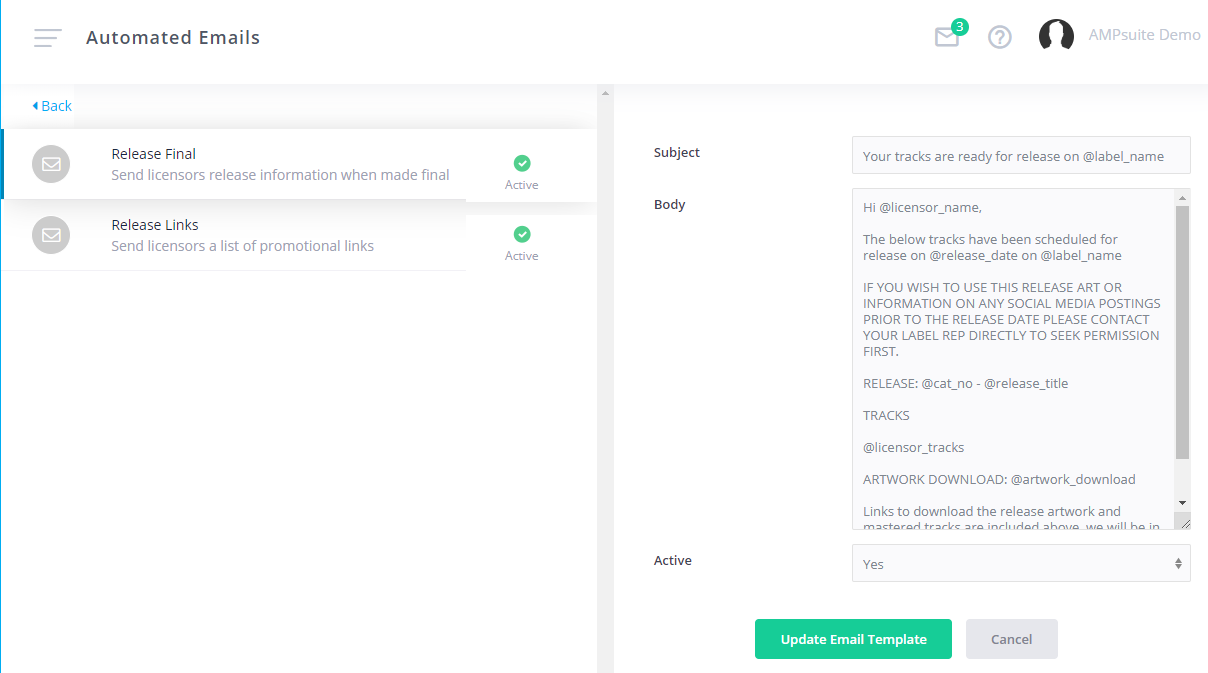
This page displays a list of all available automated emails currently set up on the system, along with a description of when each email will be triggered.
If a green tick is displayed in the Active column, the emails are currently set up to send whenever the action is triggered, you can disable an email type by clicking on the green tick, this will then turn to a red cross to indicate the email is no longer active. Some essential emails cannot be deactivated, you will receive a message informing you of this if you try to deactivate an essential email.
Clicking on a link in the Template Name column for an email will open up a form where the subject and body of the email can be customised. Most emails will contain a number of 'tags' which pull data into the email based on the current action. The tags available will vary between each type of email, you can see a full list of tags available for an email by typing an @ sign in either the Subject or Body box. To save any changes click the 'Update Email Template' button at the bottom.