This is a fantastic place to keep a directory of all of your artists and their contact details. Not only is this information used when sending artist statements, but you can also use this section to fill out a biography, upload a press-photo and link your website visitors to each artists' social networks and their own website by filling in the links here.
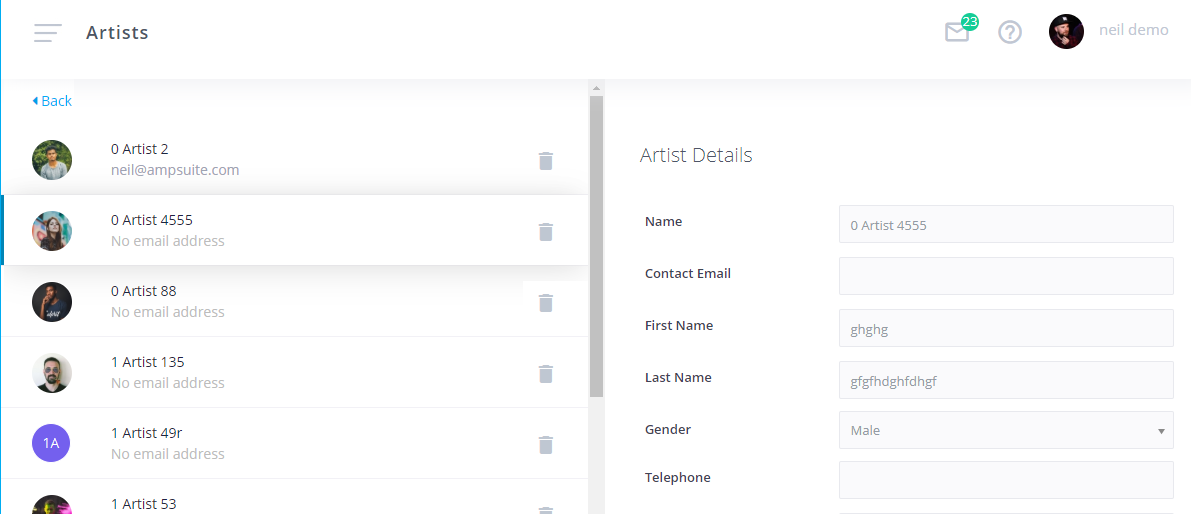
To create a new Artist, click the Add new artist button, or to edit an existing artist simply click on the artist row within the list.
- Name: The performing name of your Artist project.
- Email: The registered email (this will be used to send statements, and contracts if you make use of the Digital Contracting feature).
- First / Last Name: The real name of the artist, this may be used in contracts and also writing credits for publishing.
- Gender: This information is collected to help track equality within the music industry, and may be shared on an anonymous basis with industry bodies.
- Image: Upload a photograph of this Artist.
- Biography: Enter a detailed biography for this Artist.
- Releases Feed / Artist FeedThese options are relevant for websites which make use of the ampsuite XML feeds. If 'Releases Feed' is ticked, releases from this Artist will appear in the main 'Releases' feed. If 'Artist Feed' is ticked, this Artist will appear within the 'Artists' feed in order for you to create an Artists page for your website.
- Address Details: Postal address of this Artist.
- Website: Primary website address for this Artist.
- MySpace / Facebook / Twitter / SoundCloud: Social media links. These can be useful when linking your ampsuite account to a website to populate each Artist page with links.
TIP: All of these fields can be filled in by the Artist themselves if you make use of the Digital Contracting feature, all you are required to enter is the Name and Email Address in order to send digital contracts.