Incoming royalty reports can be uploaded into ampsuite from the Accounting > Import Accounts screen.
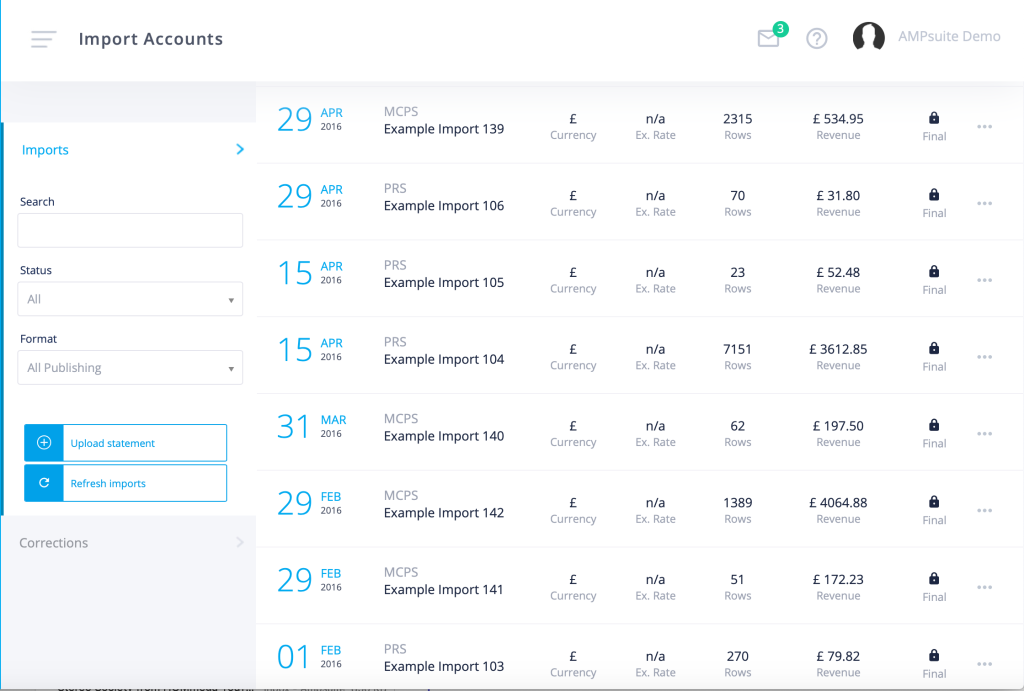
A number of predefined templates already exist for most major formats, additional import options can be added for most Excel readable file formats (e.g. xlsx, csv, txt) – if you do not see the format you require listed in the dropdown please send us a sample file so that we can add the option to your system.
The process of importing statements is covered in full details here.
As you may not know the Song Codes assigned to each track until you receive your incoming statements, you may find that a number of Track Errors appear after importing your first statement, or when revenue for new tracks first appear in your statements.

If the track already exists within ampsuite, click the ‘Assign’ icon to assign the Song Code to the existing track from your catalogue.