Once a writer has been created it is then possible to create one or more contracts under them, these can then be assigned to the tracks within your ampsuite catalog to signify how royalties should be split.
Contract creation and track assignment are covered in detail Contracts & Track Assignments.
The main difference you will notice between publishing and artist contracts within ampsuite are the available options listed under Percentages, which relate to the various types of income to be processed. The publishing percentage options shown may differ between systems, but generally include Sync, Mechanical and Performance options – if you require additional options to be added please speak to your ampsuite representative.

Note that the percentages in ampsuite relate to the percentage of incoming revenue to be paid through to that particular writer, if more than one writer shares ownership on a track then the contract percentages must be altered accordingly. For example if two writers share writing credits on a song 50/50 – and both are on a 40% deal with the publisher – the percentages entered on ampsuite under each artist for that particular track would be 20% each.
The percentages also only relate to revenue reported on the incoming statements imported into ampsuite. If a track is owned by two writers, but only one of those writers is published by yourself, and the incoming revenue uploaded in to ampsuite only represents that individual writers share, you would not need to adjust their contract percentage to take in to account the second writer, as this has already been accounted for in the incoming statement.
Parent Publishing Contracts
You may find that the same track is used multiple times across different releases within your catalogue in ampsuite, in this case only one version of the track will be assigned to the contract, with the other versions ‘linked’ via the original version, referred to in ampsuite as the ‘parent’ track.
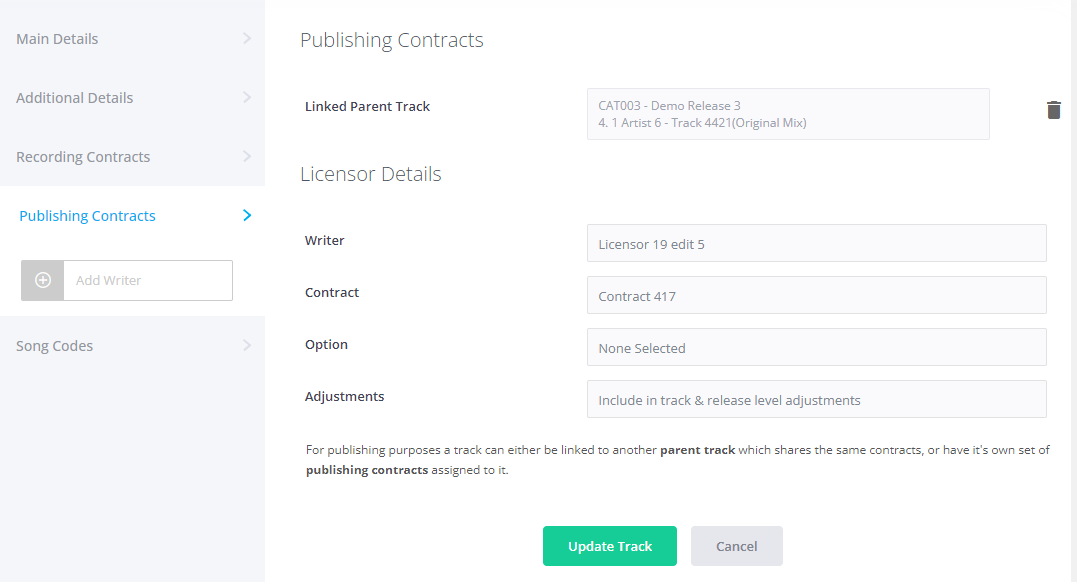
If the version of the track you are currently viewing / editing is one of these linked ‘child’ tracks you will see that the publishing contract assignments and song codes cannot be edited – instead you must click on the ‘Linked Parent Track’ field at the top of the Contracts tab to take you to the parent version of the track in order to make any required changes.
Contract Text / Digital Signing
It is also possible to add in the text of each contract, and optionally send the contract out to the writer via ampsuite for them to digitally sign.
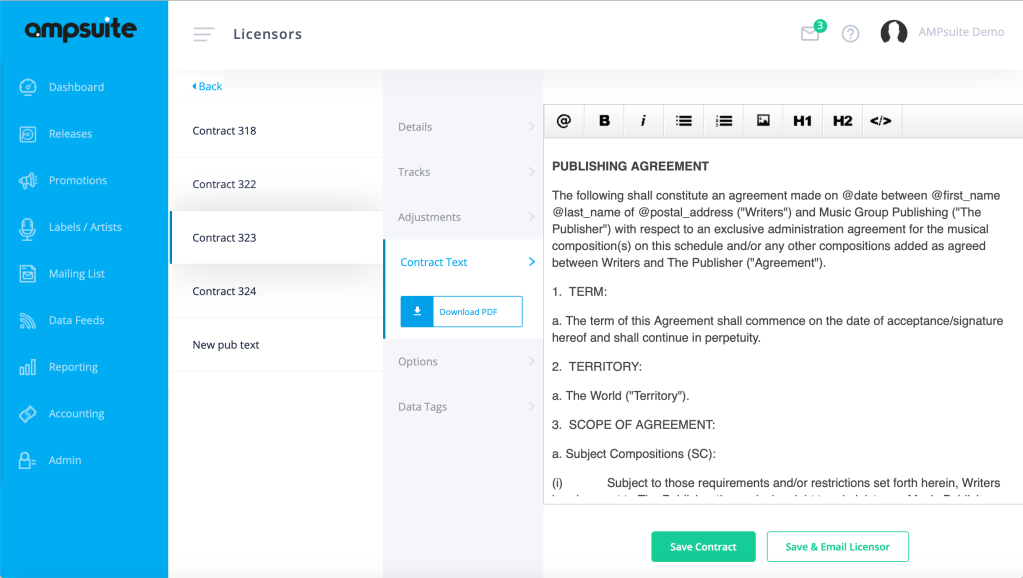
For full details please see the Digital Contracting section of the help guide here.
Expenses & Manual Adjustments
Users are also able to track and account for one off income sources – such as a sync licence advance – and also add recoupable adjustments – such as an advance that might have been paid to the writer, under the Adjustments tab of the contract.
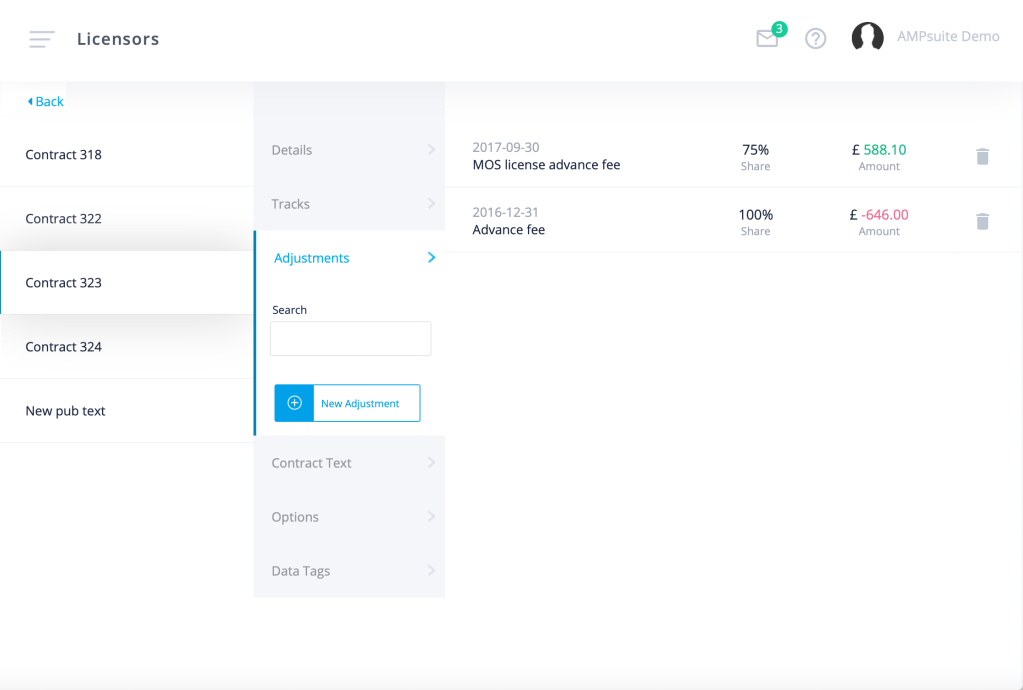
For full details on the various options available for entering expenses and manual adjustments see the help guide page here.